 ™
Build your own business software, without the enterprise price tag.
Enterprise suites are out of reach, and renting a dozen apps that don't talk to each other gets old fast. designEdit is the foundation to build exactly what you need and run it where you choose. We build it with you, or your own developers can take it from there.


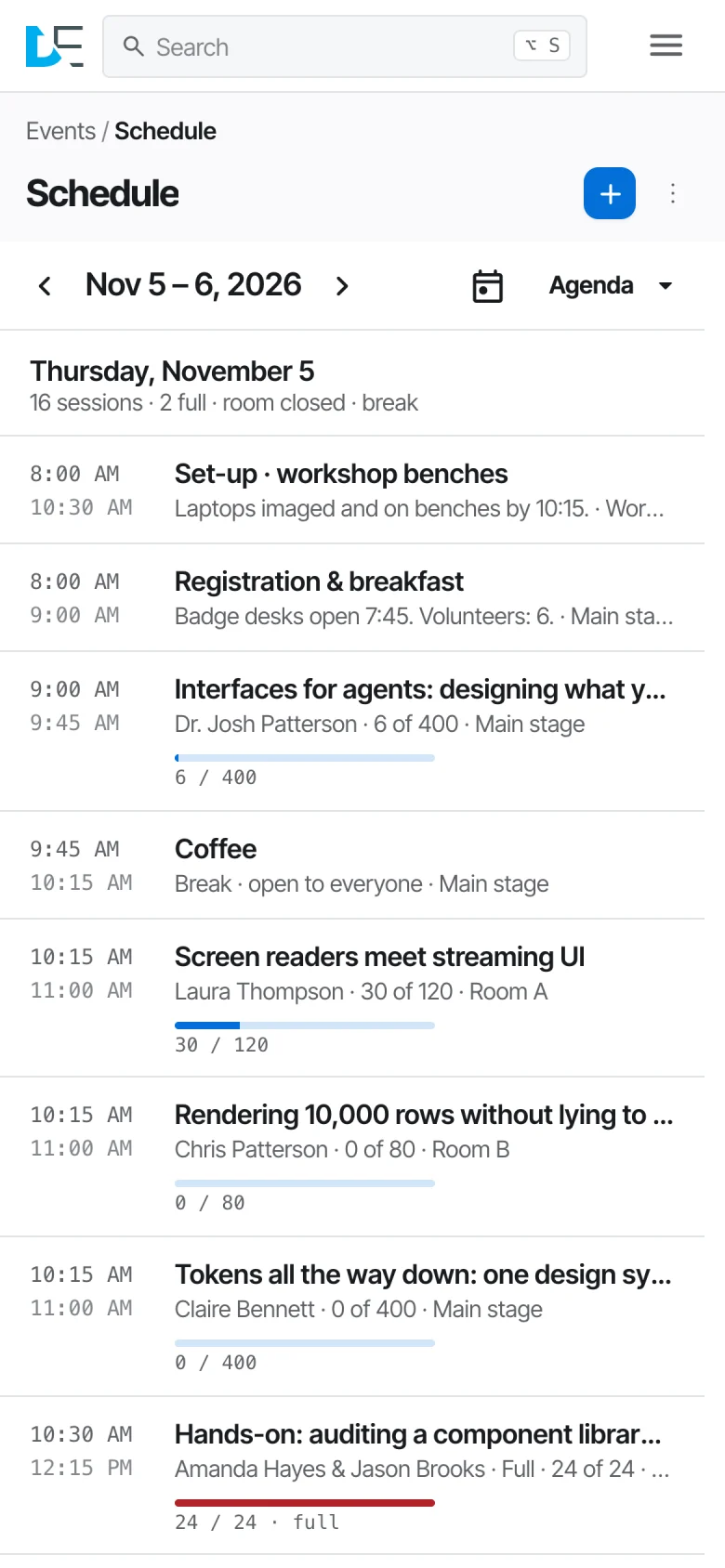
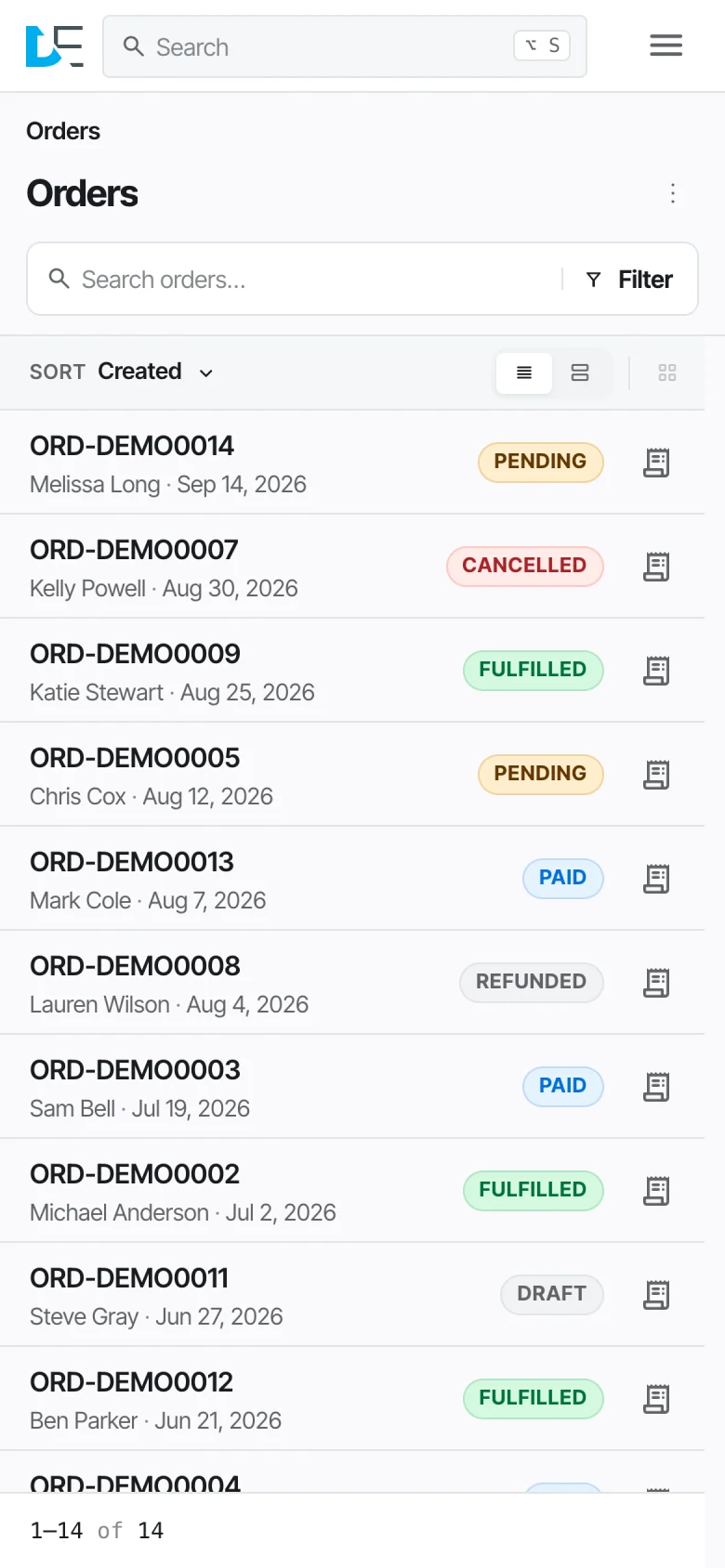
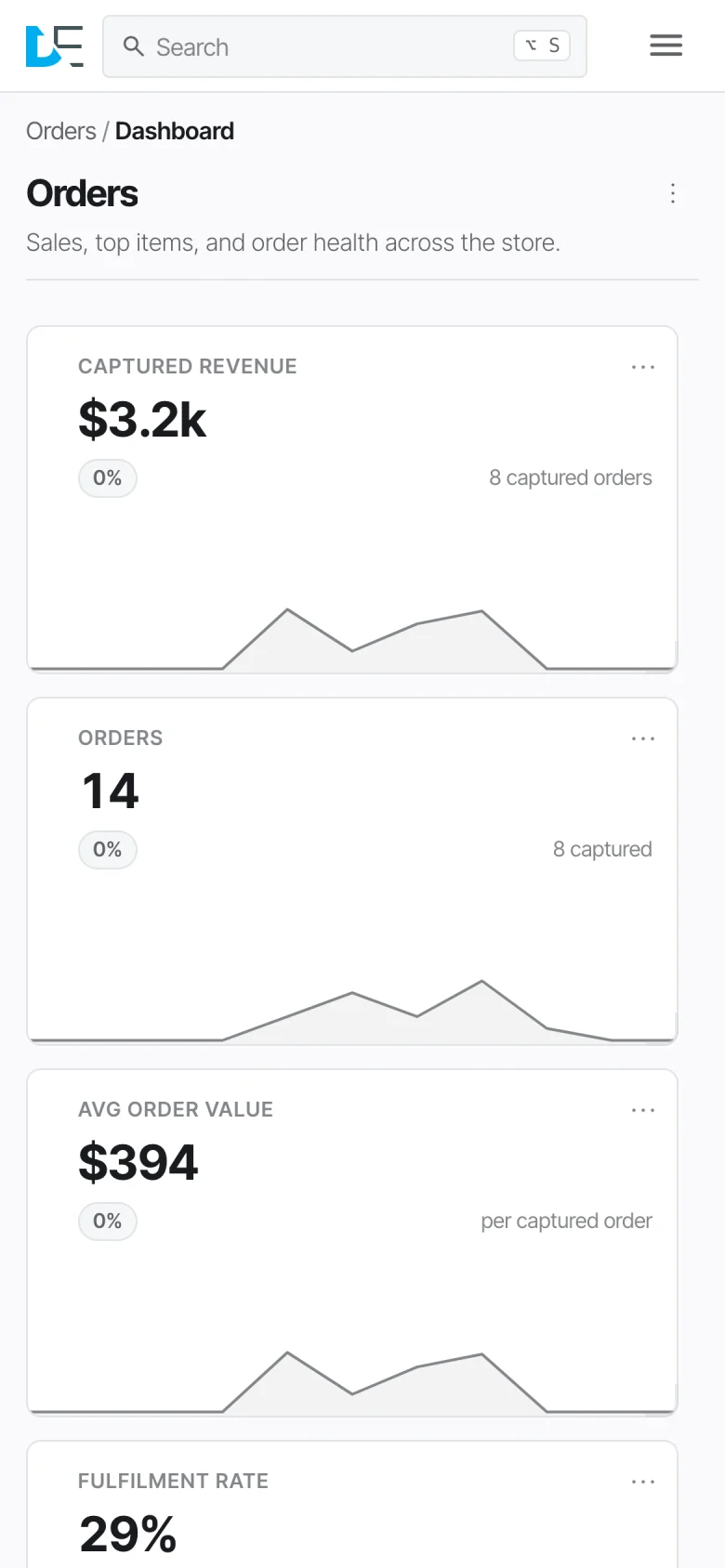
Shown: the same console across screen sizes, with sample data.
Stop renting software that almost fits. Build the one that does.
If your business runs on it, you can build it.
The framework gives small and mid-sized businesses blueprints, web components, reusable packages, permissions, workflows and an API. What you make from them is up to you.
- In the demo
Orders
Orders, line items, receipts and a dashboard over them.
- In the demo
Scheduling
Sessions, rooms and registrations counted against capacity.
- In the demo
Delivery
Vans, delivery windows and the bookings each one can take.
- In the demo
Events
Events, ticket types and tickets.
- In the demo
Websites
Pages, news and landing pages from the same records.
- Yours to build
CRM
Contacts, deals and follow-ups, with the workflow you already use.
- Yours to build
Memberships
Members, renewals and access levels in one place.
- Yours to build
Inventory
Stock, suppliers and purchase orders, with reorder points you set.
- Yours to build
Field service
Jobs, crews and schedules your team can use from a phone.
- Yours to build
Internal tools
The approvals, trackers and back-office screens your team needs.
- Yours to build
Customer portals
Your own front end, on the same backend and records.
- Yours to build
Software for your clients
A separately licensed install for each client, on the same framework.
One framework. Very different apps.
Each of these is an app built on the framework, shown in our demo. Names, orders and figures are sample data. Demo access is available on request.


Also in the framework
- Approval workflows with a second sign-off
- A tamper-evident audit trail
- Private fields kept out of the public API
- Roles and per-app access
- Version history, preview and publish
- Multi-language content
- Email, Slack, Microsoft Teams and Google Chat notifications
- File manager and image editor
- Page tree, news and landing pages
Your whole team, wherever the work is.
The console is built for small screens too. Calendars become agendas and day views, tables become lists, and dashboards stack into a single column, so people on the road or the shop floor can use the same system as the office.
Run it where you want. Your infrastructure, your call.
designEdit has two parts, a front end and a backend, joined by one contract. Use ours as they come, or swap either for your own. The options below are ready to go, not the limit.
Self-hosted on any server
Run it on Node, or on PHP with MariaDB: any cloud, a rented server or a machine in your own building.
Serverless on AWS
The Node version runs on Lambda, S3 and DynamoDB, with sign-in and account security handled by Amazon Cognito. No servers to patch or keep running, and AWS charges by usage, not by server. Our demo runs this way today.
Inside your own network
Run it for your own teams, off the public internet. Data stays in-house, with roles, per-app access and an activity trail built in.
Or any other stack
The backend isn't tied to these. The contract works with any language, and the test suite checks any backend over HTTP, so a different stack can be built to it and run the same console.
designEdit is commercial software from Design of a Decade Inc., licensed by agreement for each site or service. Your data stays yours.
Describe it or code it. Reuse everything.
- Write a blueprint
- Describe a record in one plain text file: its fields, its options, even its image sizes. The screens and the API are generated from it, so they change together.
- Or write plain JavaScript
- When a blueprint isn't enough, build the app yourself from a main.js or main.ts file, with no React, Vue or other framework required. Both run side by side in one console.
- 184 web components, and growing
- Forms, calendars, charts, dashboards, editors and more, each one documented. Use them in the console or in a front end you build on this backend.
- Reuse whole apps
- Finished apps ship as packages. Name one in your project, or run
de add website/newson the self-hosted stack, and it's in. Improvements reach your project when it moves to a new release. - A real toolchain
- The
decommand-line tool builds, analyses and releases a self-hosted site, and one shared test suite checks any backend over HTTP. - Extend the backend
- Add your own validators, actions, metrics and approval workflows, on Node or PHP.
title: Shows
itemName: Show
body:
  - { name: name, label: Name, type: text, required: true }
  - name: photo
    label: Photo
    type: image
    plugins: [image-editor]
    variants: ['1600x900 crop hero', '800x600 crop card', '200x200 crop thumb']
  - { name: price, label: Price, type: currency, currency: CAD }
  - name: status
    label: Status
    type: radiobuttons
    appearance: badge
    options:
      - { value: on_sale, label: On sale, variant: success }
      - { value: sold_out, label: Sold out, variant: danger }
      - { value: hidden, label: Hidden, variant: neutral }
  - { name: description, label: Description, type: textarea }

Built to work with AI.
AI that builds with you
Modules and templates are plain files checked against a schema, which is what AI writes well and the framework can verify. Next up: describe the module or template you need, and AI drafts it.
An MCP server for everything you build
Every app you create will also get an MCP server, the open standard that connects AI assistants to business software, so they can work with your records directly, within the access rules you set.
This is the first look, not the whole story.
We'll add to this page as the work moves along. If you'd like a closer look at where it is today and where it's heading, we'd be glad to show you.
Ask for a walkthrough